
39 lines
1.4 KiB
Markdown
39 lines
1.4 KiB
Markdown
# 站点状态监控
|
||
- 本项目可以直接部署,快速上线,纯静态无需服务器。基于 UptimeRobot api 时时监控主机、网站、端口等在线状态;
|
||
|
||
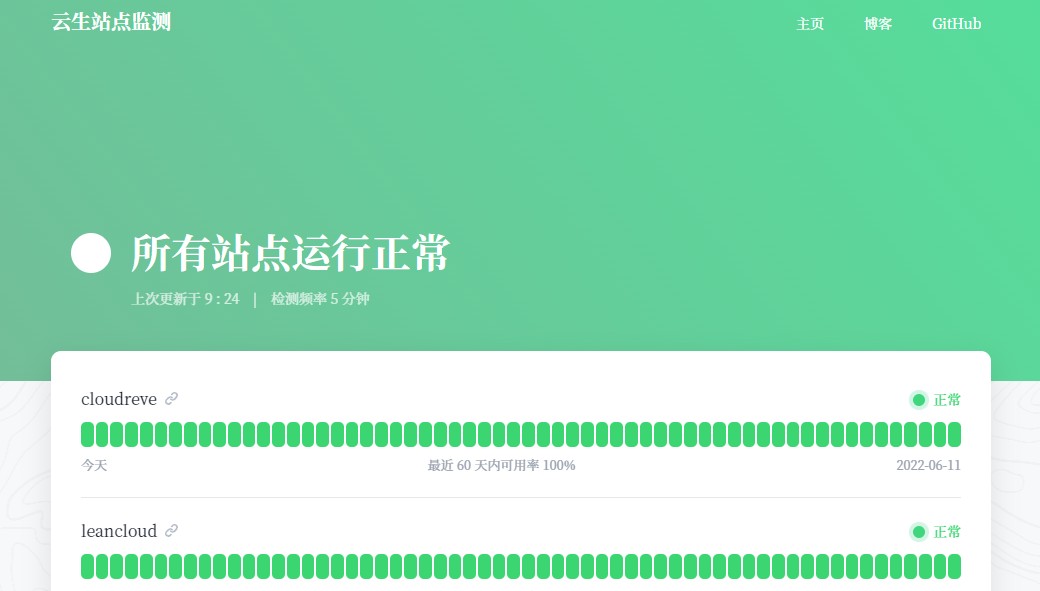
## 在线体验:
|
||
美化版:<https://tjys.vercel.app>
|
||
|
||
|
||
## 如何复用这个项目?
|
||
1- fork 一份到你的 github 账号下;
|
||
2- 修改 `config.js` 文件:
|
||
(1) `SiteName`: 要显示的网站名称
|
||
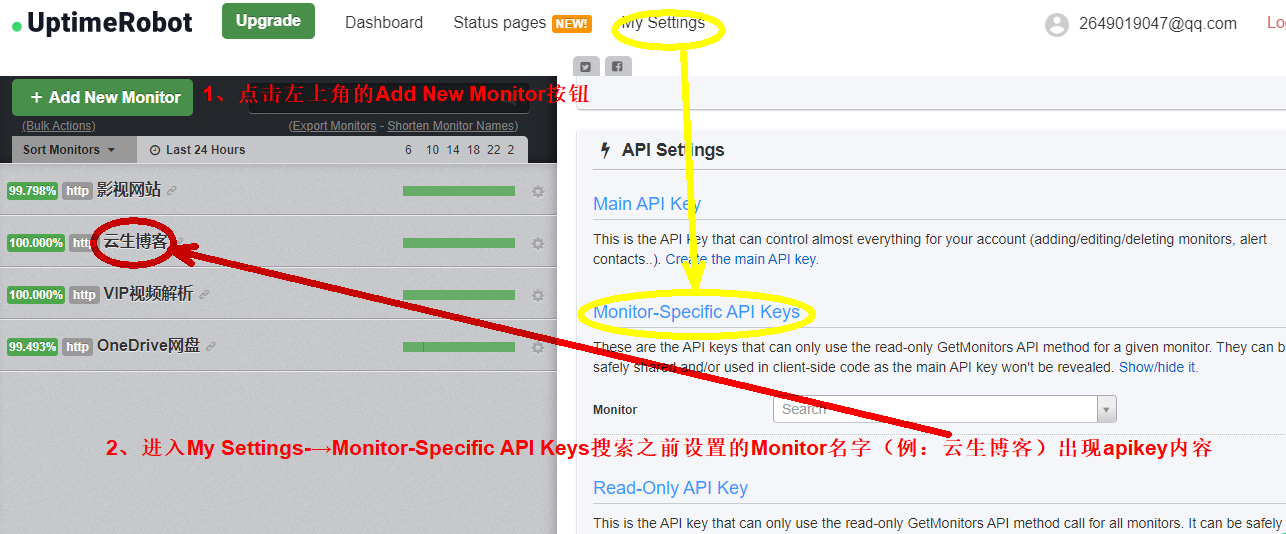
(2)修改配置文件:`ApiKeys`: 从 UptimeRobot 获取的 API Key,支持 Monitor-Specific API Keys 和 Read-Only API Key,**强烈建议使用 Read-Only API key**
|
||
|
||
<https://uptimerobot.com/dashboard#mySettings> 如下图;
|
||
|
||
(3)`CountDays`: 要显示的日志天数,建议 60 或 90,显示效果比较好
|
||
(4)`ShowLink`: 是否显示站点链接
|
||
(5) `Navi`: 导航栏的菜单列表
|
||
3- 绑定网站域名,恭喜部署完成!
|
||
可以使用Vercel部署网站,登录vercel官网注册账号并绑定Github,导入新项,选择导入Git存储库,选择个人账号,点击部署。
|
||
|
||
## 本地调试
|
||
### 安装依赖
|
||
```
|
||
npm i --unsafe-perm=true
|
||
```
|
||
### 运行
|
||
```
|
||
npm run start
|
||
```
|
||
### 打包
|
||
```
|
||
npm run build
|
||
```
|
||
|
||
## 说明:
|
||
本项目是来自原作的简化版:https://github.com/yb/uptime-status
|
||
|
||
本项目来自美化版:https://github.com/imsyy/status |